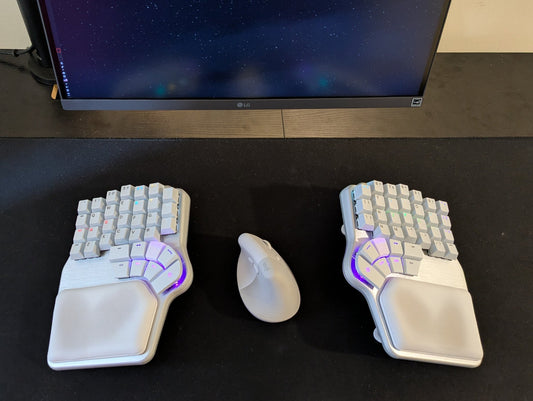
Just imagine, you receive your brand new 60% split keyboard, connect it, and happily start typing away.
Suddenly, you want to move the cursor up to fix a typo, and then you realize: where are the arrow keys?!? Wait, and the Function keys?!?
In most 60% keyboards, those keys are accessible with a special Function key.
The problem is that the Function key is usually not customizable, so you are stuck with how it's configured. The Fn key is also quite challenging to reach, making everything uncomfortable.

If you have a programmable keyboard, like the Dygma Raise 2 or the Dygma Defy, you can tweak your layout to improve the way you use arrows or function keys.
How to configure arrow keys

By default, in our keyboards, the arrow keys are under ESDF on layer 2, which you can access by pressing a thumbkey on either side.
Personally, that's the most comfortable way to use arrow keys, but I can understand why it might be a lot to process at first.

Let's see how you can have arrow keys on the primary layer.
If you have a Dygma Raise 2, the easiest way to do that is to change the right-hand modifiers for an arrow cluster. It could be in an inverted T (you lose the right Shift) or in a row.


Nonetheless, there's a way to have arrows AND modifiers using Superkeys. With Superkeys, you can assign the arrows to TAP and the modifiers to HOLD. The only drawback is that if you need to move the cursor or an image a long way, you can't hold the arrows; you need to do multiple taps.

If you have a Dygma Defy, you can do something similar by creating an arrow cluster using the thumbkeys.

However, as I mentioned, I believe using a dedicated layer for arrows is the best approach; it opens up a world of possibilities.
For example, I have regular arrows on my left hand, but with my right hand I can move the cursor jumping words or take it to the beginning or the end of a line.
But there are many other possibilities; some prefer the arrows in the bottom right, or on HJKL. Your imagination is the limit.
How to configure Fkeys

By default, the Fkeys are on the number row on layer 3, which you can also access by pressing a thumbkey on either side.
If you use function keys a lot, I think this design could be improved. For example, you could have a layer fully dedicated to function keys, where they are placed in the home row. No need to reach for the number row. Plus, you could add more rows of function keys combined with modifiers.

But if you want to have function keys on the main layer, don't worry. Superkeys come to the rescue. You can create Superkeys with the number on TAP and the Function key on HOLD, and assign those to your number row.

That way, they'll be in a more familiar spot; you only need to hold the number to get the equivalent function key.
And that's it; that's some of the ways you can use arrows and function keys on your 60% keyboard.
Bye!