Changing the switches on your keyboard is one of the easiest ways to completely transform how it feels and sounds.
It can feel almost like getting a brand-new keyboard, but at a fraction of the cost.
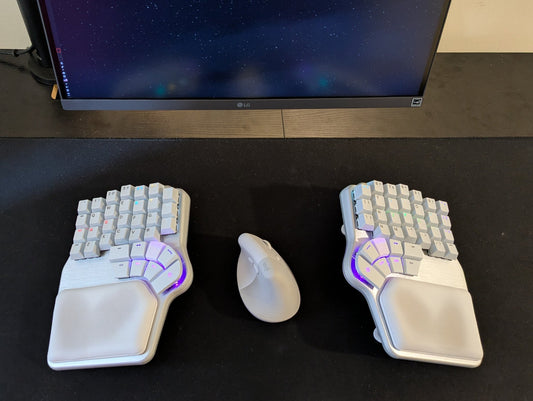
On the Dygma Sonsei, swapping switches is quick once you know the technique. But if it’s your first time, removing those tiny low-profile switches can feel a little intimidating.
Don’t worry. In this guide, we’ll show you how to replace low-profile keyboard switches step by step, how to avoid damaging the pins, and what to do if a switch doesn’t work after installation.
The most important thing to check before changing your low-profile switches is compatibility.
Unlike many standard mechanical switches, low-profile switches don’t all use the same pin layout.

There are several different low-profile switch standards, and each one requires a compatible socket on the keyboard’s PCB.
Some of the most common options include:
- Kailh Choc V1

- Kailh Choc V2

- Gateron KS-33 2.0

Even though they may look similar from the outside, their pins are positioned differently, which means you can’t simply install any low-profile switch on any keyboard.
Which low-profile switches do Dygma keyboards use?
Different Dygma keyboards use different low-profile switches depending on their design.
The Dygma Defy and Dygma Raise use Kailh Choc V1 switches for their low-profile thumbkeys. We chose them because they’re among the lowest switches available, making them ideal for keeping the thumb cluster as low and comfortable as possible.

The Dygma Sonsei, on the other hand, uses Gateron KS-33 2.0 switches.

During the Sonsei’s development, we tested multiple prototypes with different low-profile switch families. In the end, Gateron KS-33 2.0 offered the best combination of typing feel, sound, and lighting performance for the keyboard.
How to replace low-profile keyboard switches
Once you’ve confirmed that your new switches are compatible with your keyboard, replacing them is quite straightforward.
Although we’re using the Dygma Sonsei in this guide, the following technique works with most hot-swappable low-profile mechanical keyboards.
Step 1: Remove the keycaps

Start by removing the keycaps from the switches you want to replace.
You can use a keycap and switch puller to gently lift each keycap straight up.
If you’re replacing every switch on the keyboard, we recommend arranging the keycaps neatly as you remove them.
Keeping them organized by row or position will make it much easier to put everything back together later.

Step 2: Grab the switch from west to east

Once the keycap is removed, use the switch puller to firmly clip the switch from west to east.
In other words, grip the switch from its left and right sides rather than from the top and bottom.
Make sure the puller is securely gripping the switch before you start pulling.
Step 3: Gently wiggle the switch out

Avoid trying to pull the switch straight up with one hard movement.
Instead, it’s usually easier to remove a low-profile switch in two steps.
Pull one side up slightly, then the other, gently wiggling the switch out of the plate.
This gives you more control and reduces the amount of force needed to remove the switch.
Low-profile switches can fit quite tightly in a plate-mounted keyboard, so don’t worry if they require a little more effort than expected.

Step 4: Present the new Switch

Make sure the metal pins are straight and correctly aligned with the socket on the PCB.
Never force a switch into the wrong orientation.
If the pins don’t line up naturally with the socket, remove the switch and check its orientation again.
Step 5: Press the switch into place

Once everything is properly aligned, place the switch over the socket and press it down firmly.
On plate-mounted low-profile keyboards, switches can fit quite tightly, so you may need to apply a reasonable amount of pressure with your thumb.
The switch should sit flat and level with the surrounding switches once installed correctly.

Step 6: Test every switch
Before putting all the keycaps back, turn the keyboard on and check that every new switch works.
On the Dygma Sonsei, one fun way to do this is by using the Tracer LED effect.
Each time you press a key, the lighting response makes it easy to verify that the switch has registered correctly.
You can also test the switches by typing or using any keyboard testing tool.

What to do if a new switch doesn’t work
If one of the switches doesn’t register, don’t panic. In most cases, the problem is simply a bent metal pin.
Remove the switch again and inspect the pins underneath.

If one of them is bent, you can carefully straighten it using a pair of tweezers.

Once the pin is straight, align the switch with the socket again, press it firmly into place, and test the key once more.
Taking a few seconds to check the pins before installing each switch can help prevent this problem in the first place.
Step 7: Put the keycaps back
Once you’ve confirmed that every switch works, it’s time to reinstall your keycaps.
Align each keycap with its switch and press it gently into place.
If you organized your keycaps when removing them, this part should be quick and painless.

And that’s it. You’re ready to enjoy the new feel and sound of your keyboard.

Swapping low-profile switches might seem intimidating at first, but once you understand how to grip, remove, and install them correctly, the whole process becomes surprisingly quick.
Which switches did you choose for your Dygma Sonsei?
And if you’re still deciding, check out our comparison of the low-profile switches available for the Sonsei to find the one that best suits your typing style.
Join the discussion on Reddit or Discord and share your thoughts.
See you there 💜