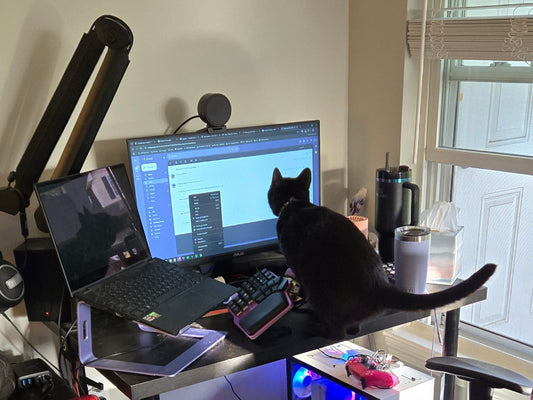
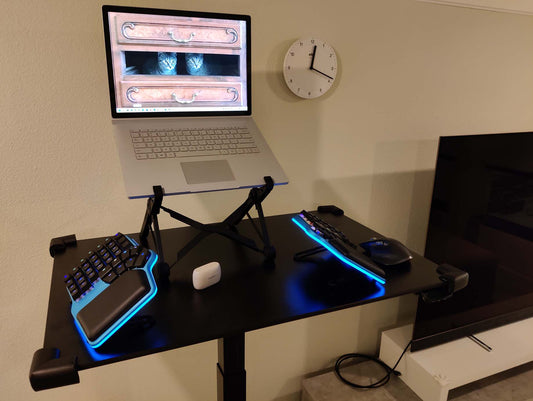
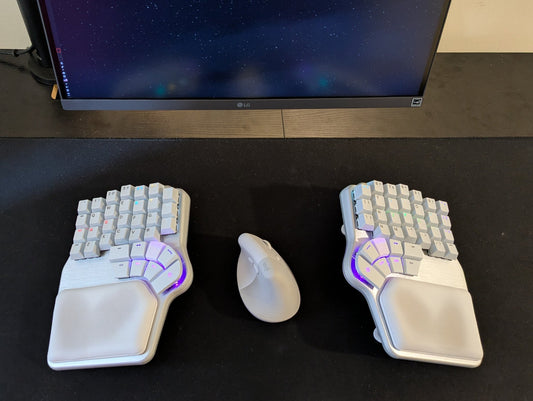
My setup checks all the boxes: an adjustable chair, a monitor stand, a standing desk, a vertical mouse, and an ergonomic keyboard.
And even though I don’t experience any pain, I’ve always felt like I could be more comfortable.
Wait, why?
Let's address the obvious question: why? The short answer would be another question: why not?
However, it's about how much I have to adapt to my setup, rather than the other way around.
For example, when I tent the Defy at high angles, I need to adjust my posture for the increased height. The problem is that I have a relatively short torso, which requires me to sit higher than I find comfortable, so I end up using lower angles.

It would be great if I could use high tenting angles without "raising" the keyboard.
Something similar happens when I use my desk standing. The Defy has reverse tilting up to 10º, but I want more. I want the desk to be lower, so my arms are in a more natural position.

First idea with clamps
My keyboard has four screw holes in the back. I can design an adaptor that accepts 1/4" screws, like those found in tripod heads.

Then it's just a matter of finding an articulated camera arm that allows me to position the keyboard exactly as I want it.
Something like this: I can clamp it to the table and screw the keyboard to the other end, like a monitor arm, but for my keyboard.

This "kinda" works, but the arms are a bit too short for the size of the keyboard, and the joints don't rotate 360º, so the range of motion is quite limited.

However, the keyboard is almost touching the desk, and if I want to adjust the angle, it almost hits the clamps. Plus, the clamps are not exceptionally sturdy, so the keyboard feels unstable when I type.
It's definitely not what I had in mind. I need longer arms.
Second attempt: longer arms, new issues

Now we're talking. These arms are long enough, and the joints move freely, but there are several significant problems:
First, the whole system wobbles when I type. The clamps and joints loosen over time, and attaching them to the edge of the table limits the possibilities.
I need something STRONGER.
Dygma Articulated Arms

This is more like it. I can attach the suction cups firmly to either the top or the bottom of the table, which opens up a wide range of ways to position the keyboard.

With the suction cups on top, I can achieve higher tenting angles, but most importantly, I can place the keyboard in reverse tilting and tenting. That is, tented but pointing "down".
This is great for using the standing desk; the keyboard can be lower and I can place my arms in a more relaxed position.

Another option is placing the cups closer to the edge of the table. That way, I can tent the keyboard while keeping it at a similar height to the desk.

If I want it even lower, I can place the suction cups underneath the table. They are more than strong enough to trust them with your beloved keyboard.
Finally, I can also place the keyboard flat but lower than the desk, similar to what you'd get with a desk tray, but completely adjustable.

Set up the Articulated Arms
I'm delighted with this solution.
You can notice that these are professional-grade camera arms. They are super sturdy, and the 360º joints allow for almost unlimited movement. They are also super easy to setup and adjust.
First, screw the arms into the keyboard.

Then, place the cups wherever you want and secure them in place by rotating the latch.

Finally, place it as desired and secure the arms.

If you ever need to make adjustments, loosen one or both arms, move the keyboard, and then tighten them again.
On top of that, these arms are compatible with any keyboard with an attachment that accepts 1/4" screws, for example, the Moonlander or the Voyager.

Limitations & challenges
However, it's not perfect. For me, it has four areas of improvement:
First, the suction cups only work on smooth surfaces. If your desk has a textured surface, it won't be strong enough.
Of course, this also means that you can't use them on places like the armrests of the chair.
There's a workaround for this: you can unscrew the arms from the suction cups and use them on any clamp that admits 1/4" screws, but I haven't been able to find a clamp I'm happy with. These are too flimsy.

Second, attaching and detaching the keyboard is cumbersome. You need to unscrew it from the arms, and you will still have the adaptor puck underneath.
That means that you can't use the keyboard flat. You'd need to set it to 10º tenting or reverse tilting. The good news is that it fits in the travel case, but this is definitely more of a "fixed" setup.
One option would be to stick a metal plate to the base of the keyboard and use MagSafe adaptors.

This makes the keyboard much easier to attach and detach, and you can still use the keyboard flat, but I have found this alternative to be far less sturdy.
Plus, an unfortunate hit might end with your keyboard on the floor.
No bueno.
Third, in some positions, I don't have anywhere comfortable to put the mouse. I could engineer a solution to place a trackpad here in the middle, or maybe design a mouse tray, but that feels a bit "too much".

I could also use the mouse keys on the keyboard or software solutions like Mouseless, but sometimes you need something faster and more precise.
It would be great if the keyboard had some kind of pointing device integrated.
That's where THIS comes in.

It's a mini trackpad that, thanks to some magnets, snaps nicely into this little inner column of keycaps and places it there. However, when the keyboard is tented at high degrees, it feels really comfortable reaching down rather than up for a trackpad.

And that's it. This is how I upgraded my ergonomic setup. What do you think?
Although it's not perfect, I'm absolutely loving it.
It's incredibly sturdy and offers numerous possibilities.
If you want to build one for yourself, you can get the articulated arm set and the adaptor puck at dygma.com/armset.
And if you'd like me to try something different or have an idea on how to improve my setup, please let us know!
Bye!