After almost 2 years of using the Engram keyboard layout, Miquel has decided to go back to QWERTY.
It wasn’t an easy decision. He spent many months mastering Engram, and in many ways, it feels fantastic to type on. Rolling through bigrams and trigrams with minimal finger movement is genuinely satisfying.
But despite all that, it turns out Engram is not the right layout for him.
Let us explain why.
Why Switching Back to QWERTY
There are three main reasons behind this decision. In order of reverse relevance, they are: convenience, speed and accuracy, and, most importantly, ergonomics. Ergonomics became the tipping point, as wrist pain appeared after long typing sessions.
Let’s start from the bottom.

Convenience
One of the biggest drawbacks of using an alternative layout like Engram is what happens when you’re forced to use a QWERTY keyboard.
This was one of Miquel's main concerns when he first transitioned to Engram. If you want to know more, we made a video about it.
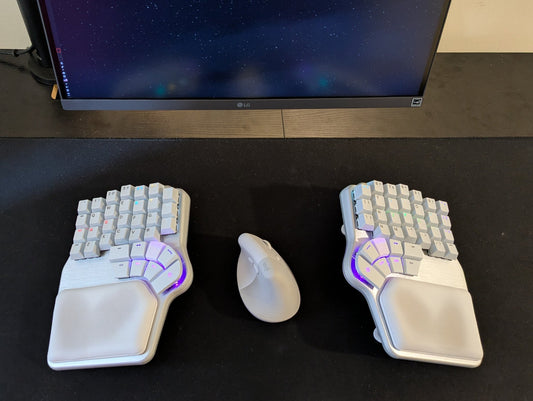
Back then, Miquel mentioned that he could switch to his laptop keyboard without major issues, but struggled with a mechanical staggered keyboard, like the Dygma Raise 2.
That has improved significantly over the past year. He can now switch to the Raise 2 relatively easily, although he can still feel his neurons complaining about the extra effort.

If convenience were the only issue, this post wouldn’t exist.
Speed and Accuracy
After almost two years of using Engram, he never reached the same level of speed and accuracy he had with QWERTY.

Speed alone isn’t critical, but accuracy is. His raw typing speed is similar on both layouts, but because he's more accurate with QWERTY, his average WPM is higher.
When comparing typing performance, the difference was clear. His best result on Engram was 73 WPM with 98% accuracy. With QWERTY, he reached 86 WPM and 100% accuracy after just a few tests.

He genuinely expected Engram to make him faster and more accurate thanks to its optimized bigrams and trigrams. But the data doesn’t support that, at least not for him.

Still, slightly lower speed and accuracy wouldn’t have been enough to make him quit.
What ultimately pushed him to stop was something he didn’t expect at all.
Pain.
Ergonomics
After switching to Engram, he started noticing pain in his right wrist after long typing sessions, mainly because he was using his right pinky more.
At first, he assumed it was part of the adaptation process. Engram has a very particular layout, moving punctuation to the center columns and minimizing lateral finger movement.

However, this design significantly increases pinky usage, especially on the right hand.
For reference, in QWERTY, the right pinky is used for fewer than 3% of keypresses. In Engram, it’s over 10% in English.

In Miquel's specific case, it may even be higher. He uses the letter Z more than average because it appears in the name of our app: Bazecor.
On top of that, he writes a lot in Spanish. In Spanish, right-hand pinky usage in Engram jumps to 12.5%, while in QWERTY it’s barely above 3%.

The latest Engram revision improves this significantly, but it still requires more pinky usage than other alternative layouts, and much more than QWERTY.
Looking more closely, he realized the real issue wasn’t pinky use on the home or top row, but reaching down to the letter P on the bottom row.
That movement, repeated over time, appears to be the root cause of the wrist pain.

So one day, Miquel decided to switch back to QWERTY and see what would happen.
It took only a few days to readapt.
And most importantly: the pain went away.

Now Miquel is left with a conundrum.
Engram clearly wasn’t meant for him. His index fingers handle extra work just fine, but his right pinky does not.
That’s why the question now is whether to stick with QWERTY and optimize further, for example, by using more home row modifiers, or try another layout altogether.

We’d love to hear your thoughts.